Spider Solitaire Classic
- 4.7
- Rating
- 10.00M
- Installs
- Free
- Price

 Analysis by App-foxy
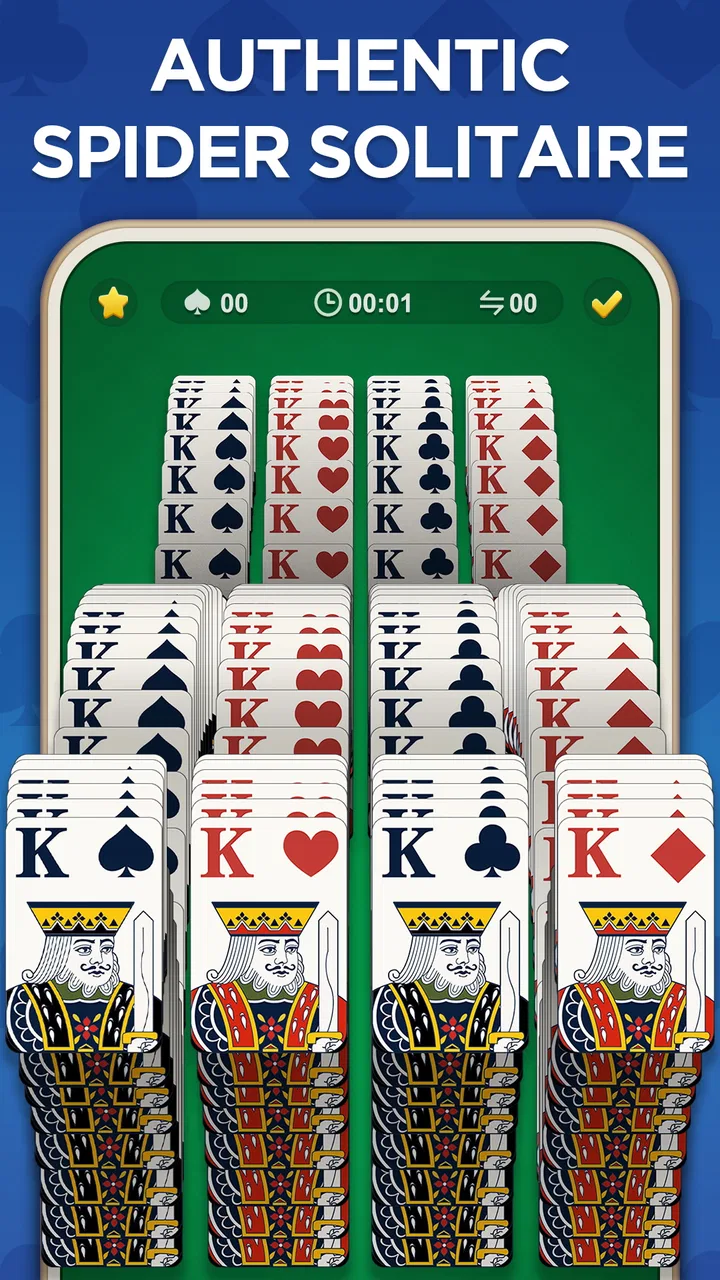
I enjoy card games most when they are easy to start but still give me a reason to think before making the next move. Spider Solitaire Classic fits that mood well. It is a free card game from Game Maker Ltd. that turns the familiar Spider Solitaire format into a quiet, repeatable activity for short breaks, relaxed evenings, or a little mental exercise without the pressure of a competitive match.
My first impression was that its appeal comes from simplicity rather than spectacle. You open it, deal with the cards, and begin looking for a workable sequence. That straightforward loop is exactly why this kind of game remains useful: I can play for a few minutes, stop, and return later without having to remember a complicated story, control scheme, or collection of rules.
The game is listed for everyone and is free to install, although optional in-app purchases range from $0.99 to $9.99 per item. It has built a strong audience, with an average rating of 4.8 from around 24 thousand ratings and more than 10 million installs. Those figures suggest that the classic format and the app’s accessible presentation have found a broad audience, but they do not remove the need to check whether this particular style of solitaire suits you.
You May Also Like

 Pandora - Music & Podcasts
Pandora’s Music Is Easy to Start, but Harder to Recover
Pandora’s strength is its low-effort path from a seed to a station. Its weak spot is how much confidence it asks you to place in connection, setup, and quiet recovery.

 8 Ball Pool
 Is Built on Rivalries, Rematches, and Routine
A close look at the rivalries, rematches, shared routines, and unanswered safety questions that turn a quick pool match into a persistent mobile community.

 Samsung Music
’s Quiet Strength Is Playing What You Already Own
Its reach comes less from spectacle than from dependable access to a personal library. That simplicity is both the app’s strongest retention engine and its ceiling.

 AccuWeather: Weather Radar
AccuWeather Review: A Quick, Clear Forecast for Everyday Decisions
For everyday plans, the best forecast is the one you can understand quickly. AccuWeather makes rain timing, radar, and local conditions easy to act on, with a few trade-offs.

 Hill Climb Racing
Why Hill Climb Racing Still Turns Crashes Into One More Run
A tiny car, a bumpy hill and one more upgrade: Hill Climb Racing keeps resurfacing because its simple chaos makes every near-miss feel personal.

 AliExpress - Shopping App
AliExpress Makes Global Shopping Feel Personal, but Shoppers Bear the Risk
AliExpress turns a global marketplace into a pocket-sized discovery engine. Its reach is useful, its shopping loop compelling, and its trade-offs easy to miss.
More From Our News Desk
View All News


Getting started without unnecessary frustration
Spider Solitaire is familiar to many players, but it is not quite the same as simpler one-suit solitaire games. The central challenge is arranging cards into descending runs while managing empty spaces and hidden cards. That means the first few moves can feel obvious, yet a careless sequence may leave the layout difficult to repair. I recommend treating the opening as a planning phase rather than immediately moving every available card.
A useful habit is to look for moves that expose a face-down card. Revealing new information is often more valuable than creating a neat-looking stack. I also try not to fill an empty column too quickly. An open column is a flexible workspace, and using it merely to park a short sequence can make the next several decisions harder. This is one of the small differences between casually moving cards and playing with a clear workflow.
For someone installing the game on an older device, the basic compatibility check is simple: the app requires Android 6.0 or later. The current version is 1.6.1. Before assuming that a problem comes from the game, I would first confirm that the phone or tablet meets that requirement, has enough free storage for normal app installation, and is running a stable system. These are ordinary checks, but they prevent a surprising amount of wasted troubleshooting.
The game was released on September 1, 2021, so it is not a brand-new card app. I see that as mostly positive for this type of experience. A mature solitaire title can be preferable to a constantly changing game when what I want is a dependable routine. At the same time, anyone looking for the newest visual style or a large social layer may find the presentation less exciting than a more feature-heavy alternative.
What to check when the first launch goes wrong
If the app does not open correctly after installation, I would close it completely and try again before changing anything more complicated. A temporary launch problem can come from the device rather than the game itself. Restarting the phone, checking for a pending app update, and making sure the operating system is supported are sensible first steps.
When an installation appears stuck, I would check the device’s available space and the reliability of the current connection. Switching between a stable Wi-Fi connection and mobile data can help identify whether the store download is the issue. I would avoid repeatedly tapping the install button, because that can make it harder to tell whether the original request is still processing.
If the app opens but the screen behaves strangely, rotating the device back to its usual position, closing other demanding apps, and restarting the game are reasonable low-risk actions. I would not immediately clear storage or reinstall, especially if I care about an unfinished deal. More aggressive steps can remove local progress depending on how an app handles saved information, so they should be treated as a last resort rather than routine maintenance.
There is also a practical question about purchases. The game is free to start, but optional items cost between $0.99 and $9.99 each. I would review the purchase confirmation carefully and use the device’s normal purchase controls rather than assuming that every visible button begins a free action. If you are handing the device to a child, the everyone rating does not replace sensible purchase protections on the phone or tablet.
Recovering a game when a move leaves the layout awkward
The most common kind of frustration in Spider Solitaire is not a failed installation but a position that suddenly feels blocked. I have found that the best response is to stop making random moves. First, I look for a complete descending run that can be moved together, then I check whether another column can be cleared by temporarily separating cards. The aim is to create room while preserving access to hidden cards.
When several moves seem possible, I prefer the one that gives me more future choices. For example, moving a sequence merely because it fits may be less useful than exposing a face-down card or preserving an empty column. This approach makes the game feel less like guessing and more like managing limited space. It also helps explain why an apparently good position can deteriorate after one attractive but short-sighted move.
If the current deal feels unsalvageable, I would pause before abandoning it. Rechecking the columns from left to right can reveal a legal move that was overlooked, particularly when several cards share similar values. I also find it helpful to mentally mark which cards are currently supporting a longer sequence. Moving those support cards too early can break an arrangement that was close to becoming useful.
A simple recovery routine is to identify the column that is closest to becoming empty, decide which cards must move temporarily, and only then use the open space. This prevents the empty column from becoming a storage area with no plan. The trade-off is that careful play is slower. If you want instant, low-attention entertainment, this may feel more demanding than expected for a game with such a familiar name.
Another point worth remembering is that a solitaire layout can be difficult without the app being malfunctioning. A blocked arrangement, an unfortunate deal, or a missed legal move is part of the puzzle experience. I would only treat it as a technical problem if the cards visibly fail to respond, the interface repeatedly freezes, or the app closes during ordinary play.
Separating device problems from game problems
When a game becomes slow, I first compare it with other apps on the same device. If several apps are sluggish, the likely cause is broader device pressure, background activity, heat, or limited free space rather than this particular card game. Closing unused apps and allowing the device to cool down is safer than immediately deleting the solitaire app.
Connection issues deserve the same distinction. A card game may be playable in a quiet setting without demanding the same network behavior as a streaming or multiplayer title, but store downloads and purchase processing can still depend on the device’s connection. If only installation or purchase-related actions fail, I would check the connection and the relevant store account before blaming the card layout itself.
Notifications, battery restrictions, or system-level settings can also affect how an app behaves in the background. I would look at those only when the problem involves returning to the game or keeping it available, not as a first response to a single slow deal. The safest troubleshooting path is incremental: restart, check compatibility and updates, test again, and only then consider reinstalling.
Reinstallation is especially worth treating carefully. It can solve damaged local files, but it may also remove a current game state if that state is stored only on the device. I would use it when the app consistently fails to launch or remains unusable after simpler checks, not merely because one deal was frustrating. That distinction matters with a casual game, since the cost of losing a nearly completed layout can outweigh the benefit of a clean reinstall.
How it compares with other solitaire choices
Compared with a basic one-suit solitaire game, Spider Solitaire Classic offers more depth because building and rearranging sequences requires greater attention. I would choose it when I want a puzzle that rewards planning rather than a purely automatic card-moving rhythm. The downside is that it can be less relaxing for someone who wants every deal to feel immediately approachable.
Compared with a broad solitaire collection, this app’s focused identity is both its strength and its limitation. A collection may provide several card formats for people who get bored quickly, while this game is better suited to someone who specifically enjoys Spider Solitaire and wants to return to the same style. I would not install it expecting a variety of unrelated games; I would install it because the Spider format itself is the attraction.
It also differs from competitive card games. There is no need to learn an opponent’s habits, wait for another player, or maintain a long session. That makes it a good fit for a bus ride, a short break between tasks, or a quiet wind-down before bed. On the other hand, players who need conversation, rankings, or live competition will probably find a multiplayer alternative more rewarding.
The optional purchases are another point of comparison. Since the game is free to install, it is easy to try without committing money at the outset. Still, I would decide in advance whether the free experience is enough for me and avoid treating optional items as necessary simply because they are displayed during use. The purchase range is modest in absolute terms, but repeated small purchases can add up when a game becomes part of a daily routine.
Who will enjoy it, and who should skip it
I think this game is a strong match for people who already understand the appeal of solitaire: quiet concentration, familiar rules, and the satisfaction of rescuing a difficult layout. It also works for casual players who want a game that can be paused mentally between sessions. The everyone rating makes it suitable for a broad audience, although younger users should still have normal device supervision around optional purchases.
It is less suitable for someone who dislikes games with uncertain outcomes or repeated failure. Spider Solitaire can punish rushed decisions, and not every position will feel easy to recover. If your ideal mobile game provides constant rewards, rapid action, or a clear win in every short session, a simple arcade game may be a better choice.
I would also skip it if your main goal is a large variety of card rules in one download. A dedicated Spider experience narrows the focus. That is not a weakness for the right player, but it becomes a limitation if you want to switch immediately between classic solitaire, freecell-style play, and other formats without opening another app.
A realistic everyday routine
Imagine having ten quiet minutes before an appointment. I would open the game, study the columns instead of making the first obvious move, and work toward exposing hidden cards while keeping at least one column flexible. If the appointment arrives, the game’s short-session nature makes it easy to stop without feeling that I have abandoned a team or interrupted a match.
At home, I might use it differently. A longer session gives me time to review a difficult layout and test whether an empty column can be used strategically. In that setting, the game becomes a small concentration exercise rather than background entertainment. The important practical tip is to choose the style of play before starting: quick moves for a brief break, or deliberate planning when I want the puzzle itself to hold my attention.
I also find that the game is useful when I want a screen activity without audio, conversation, or a complicated setup. That makes it a gentler alternative to many modern mobile games. The trade-off is that its quiet nature can feel repetitive after several consecutive deals, so I would use it in short sessions rather than expecting it to provide endless novelty.
My practical verdict
Spider Solitaire Classic is a sensible choice if you want a focused card game that is free to begin, easy to understand, and deep enough to reward careful decisions. Game Maker Ltd. has positioned it around a familiar format rather than an elaborate system, and that focus is exactly what makes it convenient for everyday use.
I would approach it with realistic expectations. The game is not the right replacement for a multiplayer card room, a large collection of card variants, or a fast action title. It may also test your patience when a layout becomes blocked or when a rushed move removes your best recovery option. Those moments are part of the format, but they are worth knowing before installing.
For me, the strongest reason to try it is the balance between accessibility and thought. I can start quickly, yet the better decisions involve preserving space, exposing hidden cards, and resisting moves that only look useful in the moment. If that kind of quiet planning sounds appealing, the free download makes it easy to test the experience. Just check your device compatibility, keep purchase controls in mind, and troubleshoot gradually if something goes wrong.
With more than 10 million installs and a 4.8 average from around 24 thousand ratings, it is clearly an established option in the card category. My recommendation is straightforward: try it if you want Spider Solitaire specifically and value a calm, repeatable puzzle. Choose another option if variety, competition, or constant action matters more than the simple satisfaction of finding the right sequence.
FAQs for Spider Solitaire Classic
01What are the key features of Spider Solitaire Classic?
Spider Solitaire Classic offers a traditional card game experience with easy-to-use controls and customizable game settings. Players can choose between different difficulty levels, track their progress with in-game statistics, and enjoy beautifully designed card decks and backgrounds. The game also includes an undo feature and hints to assist players.
02Is Spider Solitaire Classic free to play?
Spider Solitaire Classic is free to download and play, but it may include in-app purchases or ads to support the developers. These purchases can enhance the gaming experience by providing additional features or removing ads, ensuring a smoother gameplay experience for users.
03Can I play Spider Solitaire Classic offline?
Yes, Spider Solitaire Classic can be played offline, making it perfect for those who want to enjoy the game without an internet connection. This feature allows players to enjoy their favorite card game anytime and anywhere, without worrying about connectivity issues.
04What are the system requirements for Spider Solitaire Classic?
Spider Solitaire Classic is available for both Android and iOS devices. It requires Android version 4.1 or later and iOS version 9.0 or later. The game is optimized for smartphones and tablets, ensuring a smooth performance across various device types.
05Does Spider Solitaire Classic offer any accessibility features?
Spider Solitaire Classic includes several accessibility features to enhance the user experience. These may include adjustable text sizes, colorblind modes, and sound settings. These features ensure that players of all abilities can enjoy the game comfortably, making it accessible to a broad audience.
Pros
- Intuitive touch controls enhance gameplay.
- Multiple difficulty levels suit all players.
- Offline mode available for uninterrupted play.
- Classic design with a modern twist.
- Minimal ads for a smoother experience.
Cons
- Limited customization options for themes.
- No multiplayer or social features.
- In-app purchases can be pricey.
- Occasional bugs affect performance.
- Lacks advanced statistics tracking.

Spider Solitaire Classic
Gallery